Website Design Audit: The Complete Guide for Orange County Businesses
A website design audit is a review of how your website looks, functions, and guides visitors toward taking action. It checks things like navigation, mobile usability, visual consistency, and calls to action. It’s different from a website SEO audit, which focuses on search engine visibility instead of the visitor experience. Most local businesses get the most out of a design audit before a redesign, after a drop in leads, or once a year as routine maintenance.
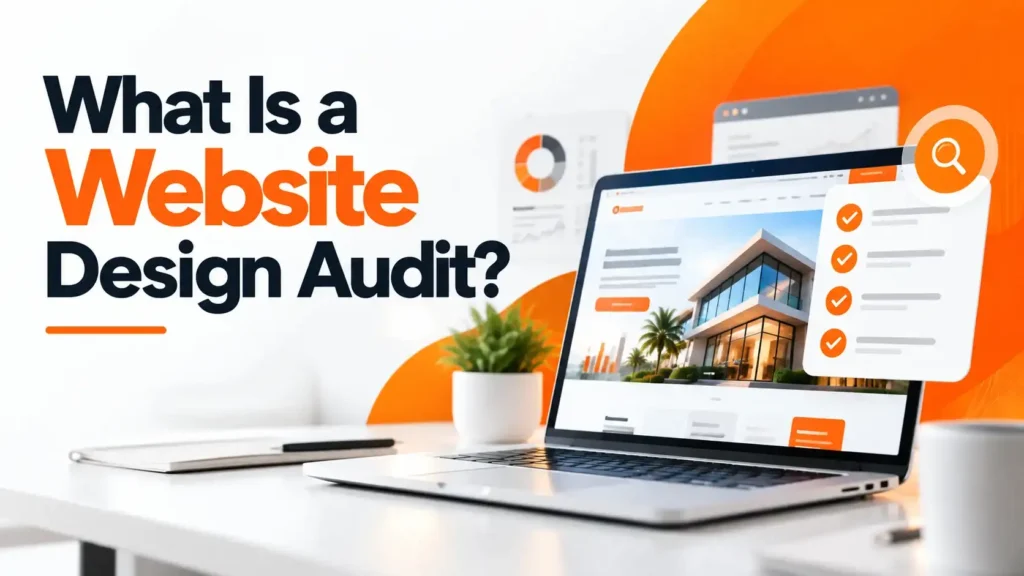
What Is a Website Design Audit?
A website design audit is a structured review of your site’s layout, usability, and visual consistency, done to find what’s working and what’s quietly pushing visitors away.
It’s not the same as a general website audit, which can also cover security, content, and technical performance. A design audit stays focused on the parts of the site people actually see and interact with: the homepage, the navigation, the mobile experience, the buttons and forms.
For a local business, the website is often the first real interaction someone has with the company. A visitor forms an opinion within seconds, often before reading a single word of copy. A design audit is how you find out, honestly, what that first impression is actually telling people. Working with a website design company in Orange County can help you identify design issues and improve the visitor experience
How to Audit a Website Design: Step by Step
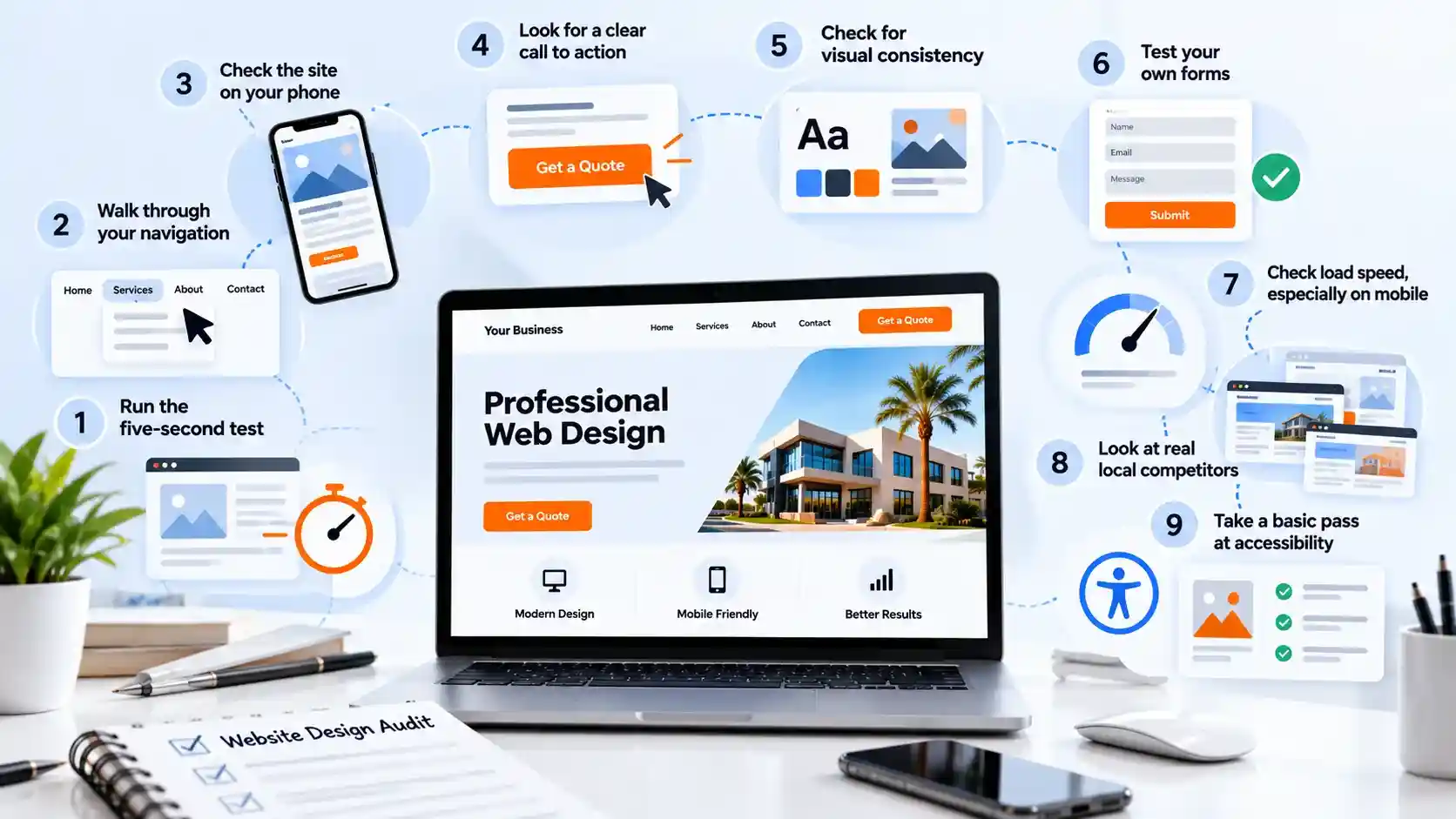
You don’t need special software to get a useful first read on your own site. You need a clear process and the willingness to look at it the way a first-time visitor would.
1. Run the five-second test
Open your homepage in a browser tab you don’t normally use. Give yourself five seconds. Can you tell what the business does, who it’s for, and what to do next? If the answer isn’t obvious right away, that’s one of the most common problems found in a website design audit: a site built to look nice but not to communicate quickly.
2. Walk through your own navigation
Try to find your pricing, a specific service, and your contact page like a new visitor would. If it takes more than two clicks, or the menu has ten near-identical items, people are likely to leave rather than dig for what they need.
3. Check the site on your actual phone
Not a simulator, your real phone, on your real connection. Look for buttons that are too small to tap accurately, text that requires zooming, and elements that overlap or run off the screen. Most website traffic today comes from mobile devices, so this step alone tends to uncover the most problems.
4. Look for a clear call to action
Every page with a real purpose should offer an obvious next step, whether that’s a phone number, a “Get a Quote” button, or a booking form. Check if a visitor could find that next step without scrolling around to hunt for it.
5. Check for visual consistency
Scroll through five or six pages back to back. Are the fonts the same? The colors? Do the photos look like they belong to the same brand? Small inconsistencies build up into a subtle sense that a business isn’t fully put together, even if nothing looks obviously wrong on its own.
6. Test your own forms
Fill out your contact form. Request a quote. Confirm you actually get a response and that it lands somewhere someone checks. A broken form can quietly cost a business real leads for months before anyone notices.
7. Check load speed, especially on mobile
A slow site loses visitors before they see anything. Free tools like Google PageSpeed Insights will point out specific fixes, such as compressing images or reducing unnecessary scripts.
8. Look at two or three real local competitors
Pull up sites from businesses you actually compete with in your area, not large national brands. Note what feels easier to use, what looks more current, and what they’re doing that your site isn’t. The goal isn’t to copy them. It’s to get a sense of what “good” looks like in your specific market.
9. Take a basic pass at accessibility
Check color contrast, confirm images have alt text, and try navigating a page using only the keyboard’s Tab key. If you can’t reach your own contact form that way, some of your visitors probably can’t either.
Website Design Audit Checklist
| Category | What to Check | Why It Matters |
|---|---|---|
| First impression | Clear headline, obvious value, no clutter above the fold | Visitors decide whether to stay within seconds |
| Navigation | Key pages reachable in one or two clicks | Confusing menus drive people away |
| Mobile design | Responsive layout, tappable buttons, readable text | Most traffic comes from mobile |
| Visual branding | Consistent fonts, colors, and image quality site-wide | Inconsistency undermines trust |
| Calls to action | Visible phone number and clear, consistent buttons | Weak CTAs are a common reason traffic doesn't convert |
| Forms | Submissions work and route to the right inbox | Broken forms silently lose leads |
| Page speed | Fast load times, especially on mobile | Slow pages increase bounce rates |
| Accessibility | Sufficient contrast, alt text, keyboard navigation | Wider reach and fewer legal risks |
| Content clarity | Copy answers who, what, and why without jargon | Confusing copy loses visitors before they convert |
| Trust signals | Reviews, real photos, licenses, certifications | Builds credibility, especially for service businesses |
Feel free to adjust this list based on your business. A law firm might weight trust signals more heavily. An online store might focus more on product pages and checkout. This table is a solid starting point, not a fixed formula.
Website Design Audit vs. Website SEO Audit
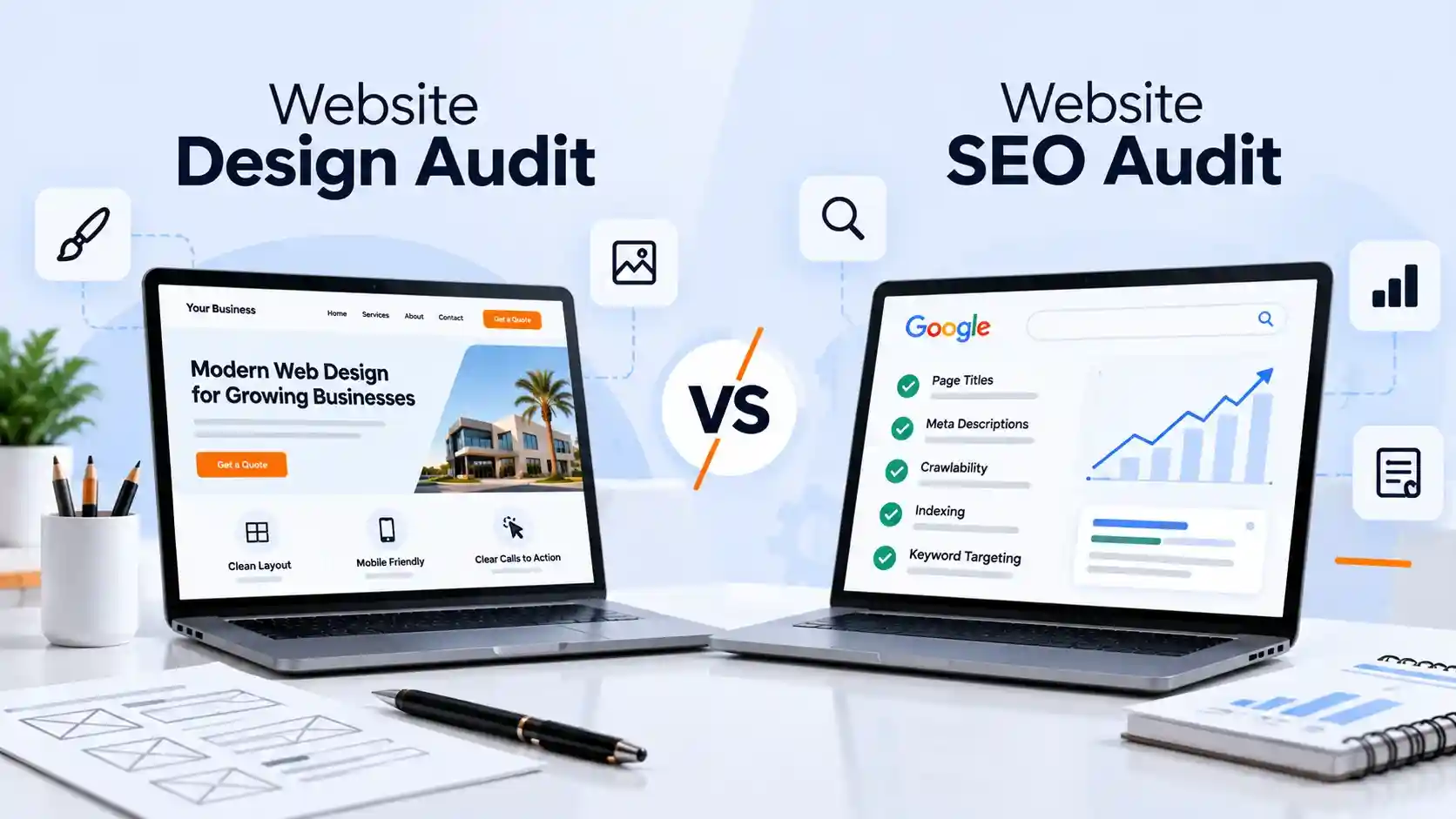
A website design audit and a website SEO audit are often confused, so it’s worth separating the two clearly.
A website design audit looks at the human experience of a site: layout, usability, visual consistency, and whether the design guides someone toward taking action.
A website SEO audit (sometimes called a website seo audit or seo website audit) looks at how a site performs for search engines: page titles, meta descriptions, crawlability, indexing, and keyword targeting.
The two overlap in a few places. Page speed and mobile responsiveness matter for both visitors and search rankings. Clear heading structure helps both readability and how search engines interpret a page. But a site can pass every technical SEO check and still lose visitors because the design is confusing. Just as easily, a well-designed site can sit unseen on page five of search results because nobody handled the SEO side.
If your goal is more traffic that actually turns into leads, it’s worth understanding both, even if you handle them as separate projects. Many website seo audit services and design-focused shops keep these as distinct offerings for exactly this reason.
Common Problems a Website Design Audit Tends to Find
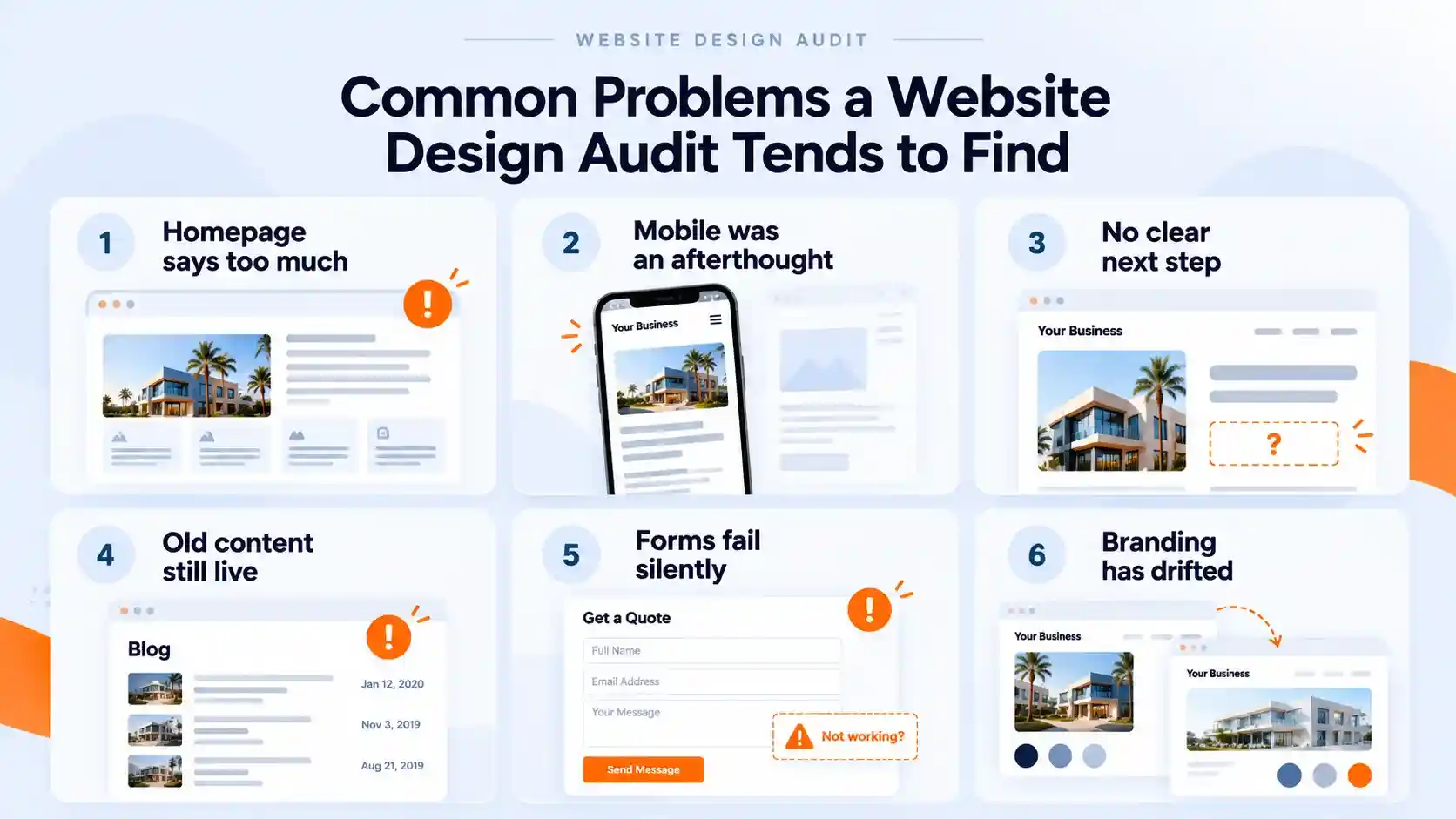
Certain issues show up again and again, regardless of industry:
-
The homepage tries to say everything at once. Every service and credential competes for attention, and the main message gets lost.
- Mobile was clearly an afterthought. The desktop site looks sharp, but the mobile version has oversized images or a menu that doesn’t open properly.
- There’s no clear next step. The site explains the business well but never actually asks the visitor to do anything.
- Old content is still live. A discontinued service, a team member who left, or a promotion from months ago.
- Forms fail silently. No error message, no confirmation, just a form that quietly stops working.
- Branding has drifted. A logo update here, a new color there, added by different people at different times.
None of these are unusual, and having one or two doesn’t mean a business is doing anything wrong. They’re simply easy to miss from the inside, which is why a fresh set of eyes tends to catch what daily use doesn’t.
Website Design Audit Tools
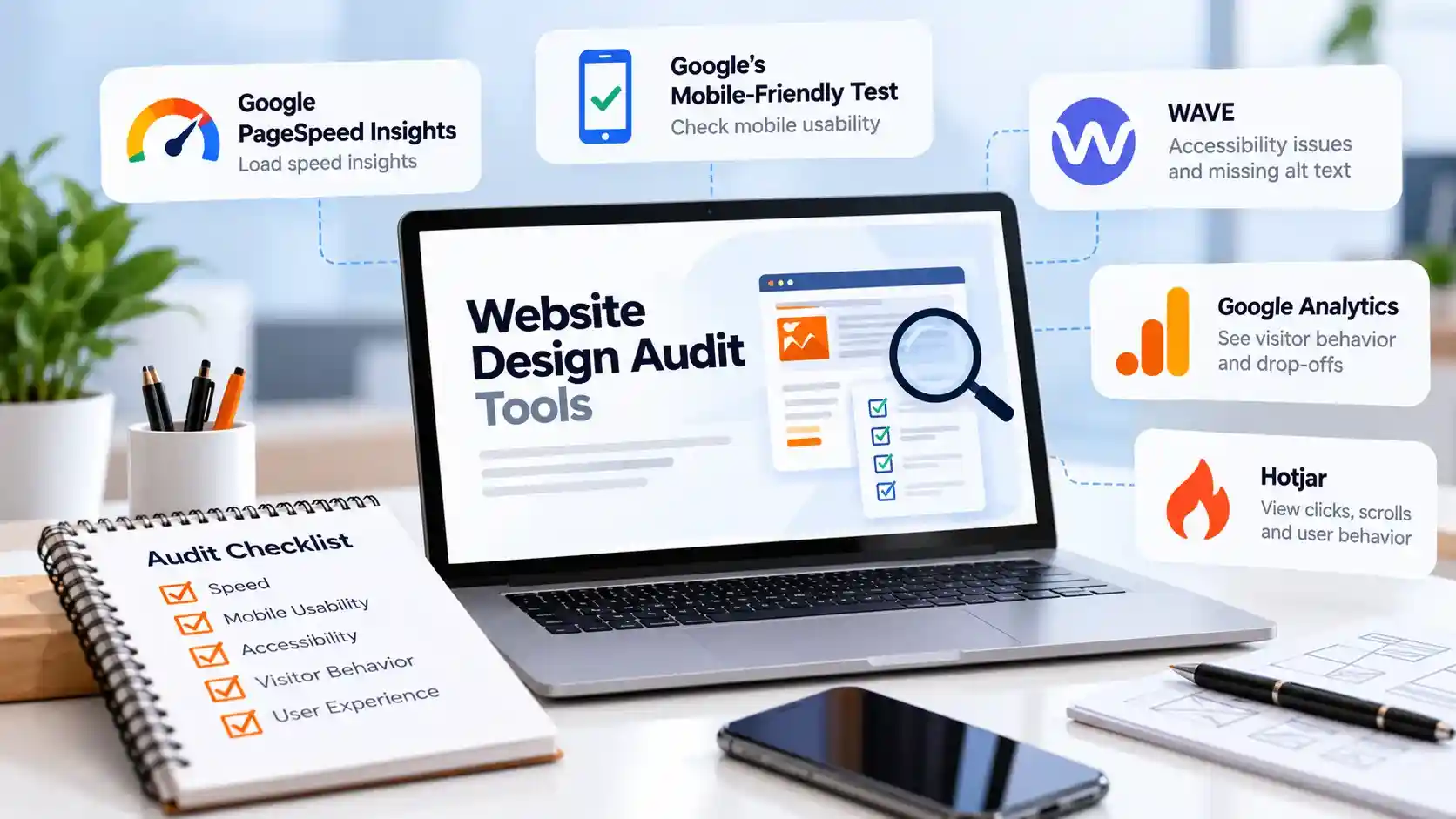
You don’t need a stack of paid subscriptions to run a solid first-pass audit. A few free tools cover most of the ground:
-
Google PageSpeed Insights for load speed and specific mobile usability flags
- Google’s Mobile-Friendly Test to confirm a site actually renders properly on phones
- WAVE (Web Accessibility Evaluation Tool) to catch contrast issues and missing alt text
- Google Analytics to see where visitors go, and where they leave
- Heatmap tools (such as Hotjar) to see where people click, scroll, and get stuck
Tools are good at measuring things that can be measured, like speed or contrast ratios. They’re not good at judging whether a site feels trustworthy to an actual visitor. That part still benefits from a person looking at it, ideally someone without an emotional attachment to decisions that have already been made.
Free Website Design Audit vs. Paid Audit Services
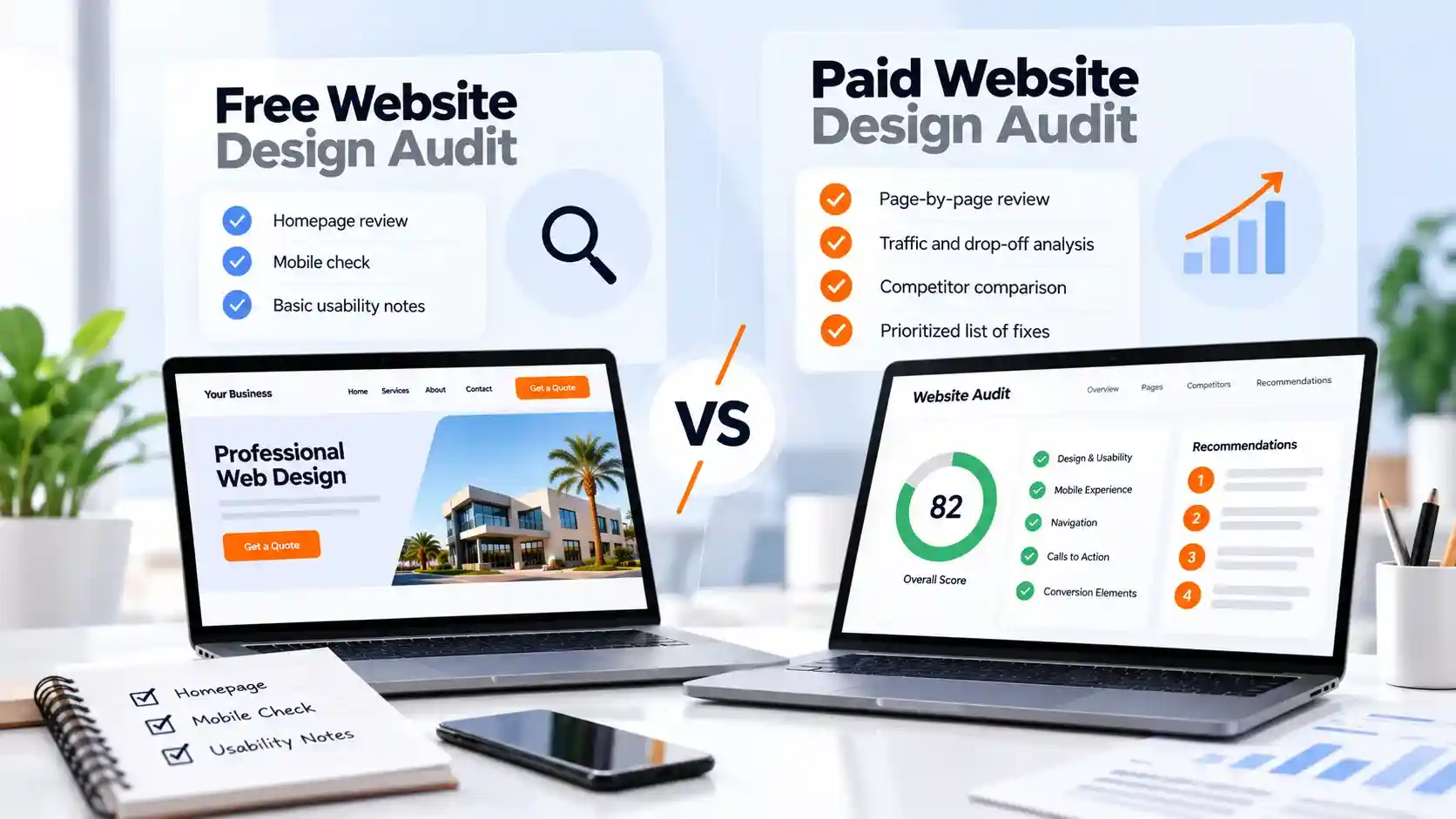
A free website design audit, the kind many web design audit services offer as a starting point, is usually a quick pass: a look at the homepage, a mobile check, and a handful of obvious usability notes. It’s a reasonable way to get a general sense of where things stand at no cost, though it’s worth expecting a pitch for a redesign alongside it. That’s not necessarily a bad thing, just something to know going in.
A paid, more detailed audit goes further. It typically includes a page-by-page review rather than just the homepage, a look at actual traffic and drop-off data instead of visual impressions alone, a comparison against real local competitors, and a prioritized list of fixes ranked by effort versus impact.
Whether the paid version is worth it depends on how much weight the website carries in the business. A contractor who gets most of their work from referrals might do fine with a quick free audit. A dental practice, law firm, or home services company competing hard for local search traffic will usually get more value from the deeper version, since it tends to catch things a surface-level look would miss.
How to Choose the Best Website Design Audit Service
If you’d rather not run the audit yourself, here’s what separates a genuinely useful website design audit service from one that’s mostly a sales pitch in report form.
- They’ll show you a sample report before you commit. A reputable service is happy to show what the deliverable actually looks like.
- They explain findings in plain language. A report full of scores with no explanation of what to do about them isn’t very useful.
- They prioritize the findings. A good audit tells you which three or four things matter most right now, not fifty items with no order.
- They’re upfront about scope. A design-focused audit and a full seo website audit are different things, and a good provider will say clearly which one you’re getting.
- They understand your actual market. A web design company familiar with businesses in your area, whether that’s dental practices, law firms, or contractors, will generally have a better sense of what “good” looks like for you specifically.
For businesses looking for the top website audit company for a web design strategy in their area, local familiarity matters more than it might seem. A roofing company in Irvine isn’t competing for the same searches or customer expectations as one in a different state. An audit built around the market you actually operate in tends to produce feedback you can use right away, rather than a generic checklist run against your homepage.
How Often Should You Run a Website Design Audit?
There’s no single right answer, but a reasonable rhythm looks like this: a full design audit once a year as a baseline, with quicker checks (a mobile test, a form test, a fresh look at the homepage) every few months in between.

A few moments should trigger an audit regardless of schedule:
- Before committing to a redesign, so you know exactly what to keep and what to change
- After a noticeable drop in calls or form submissions, so you can rule design in or out as a cause
- After a competitor launches a site that’s clearly more polished than yours
Frequently Asked Questions
It’s a structured review of a website’s layout, usability, mobile experience, branding consistency, and calls to action, done to find what’s confusing or outdated and what’s already working well.
Walk through it like a first-time visitor: check your first impression, test the navigation, check the mobile experience, review your calls to action, test your forms, and look for visual consistency across pages. Comparing against two or three local competitors helps you calibrate what “good” looks like.
Yes, as a starting point. It’s a reasonable way to catch obvious issues at no cost, though it usually won’t go as deep as a paid audit that includes actual traffic data and a full page-by-page review.
A general website audit can also cover technical performance, security, and content, in addition to design. A website design audit narrows in specifically on layout, usability, and the visitor experience.
No. They cover different ground. A design audit looks at the visitor experience, while an seo audit website review looks at search visibility. Many businesses benefit from having both done, especially if the goal is more traffic that actually converts into leads.
This is actually one of the clearest signs that a design audit is worth running. Steady traffic with weak conversion usually points to something in the experience itself, such as unclear calls to action, a confusing layout, or a broken form, rather than a visibility problem.
Where to Go From Here
You don’t need a full redesign to see an improvement. Sometimes it’s a clearer headline, a more visible phone number, or a mobile layout that finally works the way it should.
If you’re in Orange County and want a second opinion on your site, Web Designer Orange County offers a free website design audit as a straightforward way to find out what’s working, what’s costing you leads, and where to start.